


TikTok Pro - Events
4.48.68K Reviews
App Specs
- Version
- 47.4.3
- Updated On
- License
- Free
- Downloads
- 10,000,000+
- Developer
- TikTok Pte. Ltd.
- Categories
- Entertainment
- Platform
- Android
Screenshots
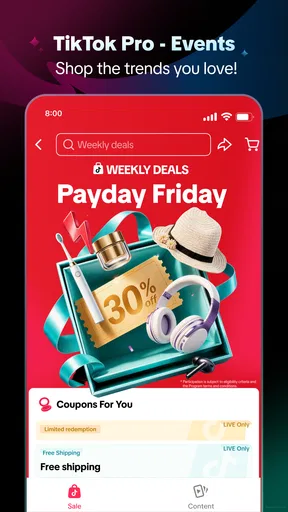
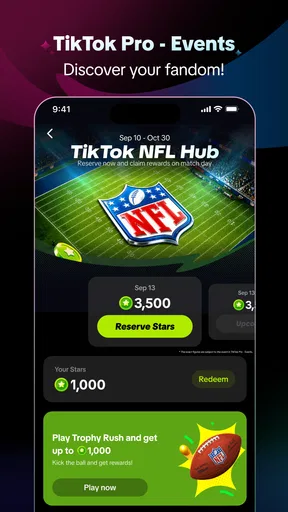
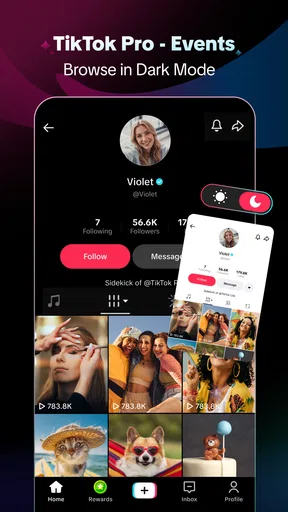

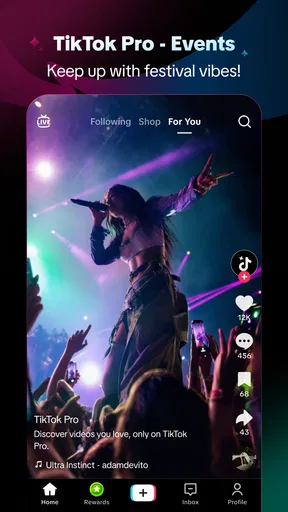
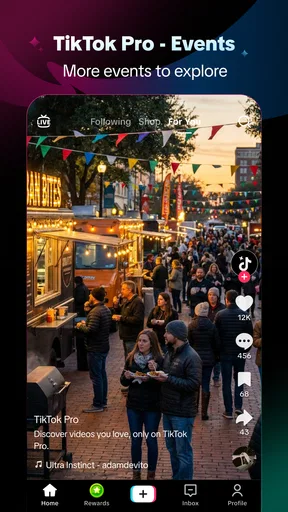
 Analysis by AppCompare
In my household, event discovery usually starts with a casual question: has anyone seen something worth doing this weekend? A short clip can get the conversation moving, but it is easy to confuse inspiration with an actual plan. TikTok Pro - Events is an entertainment app from TikTok Pte. Ltd. built around short-form video, participation, and rewards. I see its best household role as a way to spark ideas together, not as a shared calendar or a dependable place to manage arrangements.
A useful distinction before anyone starts browsing
Before opening the app on a shared phone, I would agree on what the group is trying to do: watch together, browse for ideas, or explore the rewards side. That small choice helps avoid a familiar household mismatch, where one person expects a quick event search and another wants to keep scrolling through videos. If all you need is a date and address, going straight to an event listing or organizer’s page is likely to be quicker.
I would also decide whose account is being used and whether the session is meant to shape that person’s recommendations. That is not a special household feature; it is simply a practical boundary when several people share a device. For a brief group browse, choosing clips together is clearer than handing the phone around with no agreement about account use or purchases.
Turning discovery into a plan
A clip can show the atmosphere of an event in a way a plain listing cannot. To keep that visual impression useful, I would make a note of the event name as soon as something catches our attention, then send it through the household’s usual messaging method. Before anyone changes plans, I would check the date, location, availability, and organizer details directly. This is particularly worthwhile when the clip is older, edited for entertainment, or focused on one memorable moment rather than practical information.
That workflow is a little less seamless than finding everything in one structured service, but it keeps each tool doing the job it handles best. The app can help us decide what sounds appealing; a calendar or shared chat can hold the confirmed plan. I would use that separation for a weekend outing, a local activity, or any idea that needs coordination among people with different schedules.
When browsing with a teen, I would make the same distinction explicit: a video can be an invitation to investigate, not proof that an event is suitable or still happening. If travel, payment, or attending without an adult is involved, I would verify the details together and discuss the plan before committing. That conversation is more useful than treating a lively clip as the final word.
One phone, several viewers: where the app fits
The easiest way to picture a household use case is someone browsing event-related clips while waiting for dinner, then showing a funny or useful find to another person nearby. That casual handoff suits TikTok’s visual format: a clip can communicate atmosphere and enthusiasm faster than a long description. If the goal is simply to discover something together, the app can be an entertaining starting point.
Worth Reading Before You Choose

EA SPORTS FC Mobile 26 Is a Bigger Football Game, but It Takes Time

Flipboard Shows What News Apps Must Do Beyond the Feed

Switching to Android Auto Means Rethinking Your Driving Routine

Google Calendar Makes a Crowded Week Easier to Manage

Ludo King Makes the Most of the Minutes Between Plans

Baby Panda World Brings Quick Play to Modern Phones, but Its Game Library Feels Busy
That is different from planning together. A video may inspire a conversation, but watching it does not automatically turn its details into a shared plan. I would pass along the exact event information separately and check it through an appropriate source before making arrangements. Short videos are good at catching attention; they are not necessarily designed to preserve every practical detail a household needs.
For a shared device, I would also avoid treating the app as a communal account by default. People can have different interests, viewing habits, and expectations about what appears in a personalized feed. Keeping clear boundaries between viewers makes recommendations more relevant and reduces the chance that one person’s browsing becomes everyone’s experience. That is a general account-hygiene choice, not a claim that the app provides a particular household-management feature.
Set expectations before handing over the phone
If I were letting another person browse, I would decide first whether they are using my account or simply watching alongside me. An account used by several people can blur whose interests are shaping what appears, and it can make the experience feel less personal. For a quick shared viewing session, staying together and choosing clips deliberately is simpler than passing the phone around without any agreement.
I would also make the purpose clear: browsing for entertainment, looking for event inspiration, or trying the rewards angle. Those are not quite the same activity. A person interested only in event logistics may find a dedicated event calendar or a direct organizer page more useful; someone who enjoys short videos and discovery may be happy to explore here. The app is strongest as a discovery companion, not as the household’s source of truth.
Rewards deserve their own expectation-setting. The app’s positioning connects participation with earning rewards, which may be a reason to try it, but I would not make household plans around an assumed reward or treat it as guaranteed value. Before spending time on any reward-related activity, I would read the in-app terms carefully and check what participation actually involves. The sensible approach is to enjoy the content first and regard any reward as secondary.
Using clips to coordinate without losing the details
A useful workflow is to separate inspiration from confirmation. I might watch a clip that brings an event to my attention, then note the name and share it through the communication method my household already uses. Before anyone commits, I would verify practical details such as timing, location, availability, and any changes with the event’s own information. This extra step matters because an engaging video can be brief, selective, or focused on atmosphere rather than logistics.
For a group deciding what to do, I would use TikTok Pro - Events to gather ideas and then move the decision elsewhere. That keeps the app’s strength—quick visual discovery—while avoiding the frustration of trying to coordinate through a stream of clips. It also helps when one person is browsing and another is responsible for transport, schedules, or communicating the final plan.
The trade-off is that this two-step process takes a little more effort than finding an event in a purpose-built planning service. In return, video can reveal the feel of an experience in a way a plain listing often cannot. I find that useful when the household is choosing between unfamiliar options, but less useful when the date and details are already known and everyone just needs a dependable shared record.
Teen rating, trust, and adult guidance
The content rating is Teen, so I would not assume that the app is intended for every child simply because a phone is shared at home. Age suitability and family comfort are separate questions: a rating gives a useful starting point, but a household still needs to decide what kind of browsing is appropriate. For younger users, I would be present and talk through what they are watching rather than relying on the rating alone.
That guidance is especially relevant in a short-video environment, where one clip can lead quickly to another and content may be encountered outside the narrow topic a viewer first had in mind. If a teen is using a device that other people also use, agree on whose account is active and when the phone is being shared. I would not assume there are particular family controls or account boundaries beyond what I can see and understand in the app itself.
Trust also means being careful with event claims. A confident-looking clip is still a video, not independent confirmation. For plans involving money, travel, or a young person attending without an adult, I would verify the organizer and details through a suitable direct source. This is not a reason to avoid discovery; it is a reason to separate the excitement of finding something from the checks needed before acting on it.
How it compares with other ways to find events
Compared with a conventional event listing app, TikTok Pro - Events puts more emphasis on watching and discovering than on scanning structured details. That can help when I do not yet know what I want to do and would rather see an experience than read a catalog. A listings service is usually the better fit once I need to compare dates, locations, or practical arrangements in a consistent format.
Compared with ordinary short-video browsing, the Events framing gives the experience a clearer reason to explore: event-related discovery and participation are part of the proposition. Still, anyone who wants a strictly practical tool may find a search engine, organizer site, or shared calendar more direct. I would not replace those tools with this app; I would use it earlier in the process, when the household is looking for ideas.
The app is free to download, with in-app purchases listed from around seven cents to nearly two hundred and fifty dollars per item. That wide range is a good reason to pay attention to any purchase prompt rather than assume every part of the experience is cost-free. If I were setting up a shared phone, I would make sure everyone understands that free access and optional purchases are not the same thing.
Who I would recommend it to
I would suggest trying it if you enjoy short videos, want event inspiration, and are comfortable treating a social-style feed as a place to discover rather than a complete planning system. It is also a reasonable option for adults and teens who can browse with clear expectations about accounts, purchases, and checking event details. The app has an average rating of 4.4 from around fifty thousand ratings, with about seven and a half thousand written reviews, and it has passed ten million installs.
Its practical fit depends more on habits than household size. A couple looking for ideas for a weekend could watch together and then confirm the details elsewhere. A parent and teen might use it as a conversation starter about events, while agreeing in advance how the device and account are being used. A busy household that needs one dependable schedule, however, should keep that schedule in a dedicated shared tool.
I would skip it if you dislike recommendation feeds, want event information presented in a highly structured way, or need a single place where everyone can reliably manage plans. I would also avoid installing it just to chase rewards if the videos themselves do not interest you. The reward angle is not a substitute for a good fit with the app’s core viewing experience.
My household verdict
On Android, the listed minimum operating-system requirement is version 6.0, and the current release is 47.0.3. The app is marked for Teen audiences and was released on June 2, 2026. Those details make it straightforward to assess basic device and age fit, but the more important household decision is whether the people sharing a phone are comfortable with a personalized short-video experience.
My recommendation is measured: I would use TikTok Pro - Events to spark ideas and enjoy event-related clips, then move coordination and verification to tools built for those jobs. It can add energy to a household’s discovery process, especially when people want to see what an experience might feel like before choosing it. It is less convincing as a shared planning hub, and account clarity matters when multiple people use one device.
If that distinction works for your household, TikTok Pro - Events is worth exploring as an entertainment app, not as a promise that every clip will become a practical plan or every activity will produce a reward. Used with sensible boundaries, it can help turn a quiet browsing session into a useful conversation about what to do next.
Pros
- Event-focused layout makes upcoming TikTok events easier to discover.
- Useful for keeping event details in one dedicated place.
- Can help fans stay connected with creators and community activities.
- Familiar TikTok-style presentation may feel easy for existing users.
- A focused alternative to browsing the main feed for event updates.
Cons
- Event listings may be limited or unavailable in some regions.
- Access to certain events may require a TikTok account.
- Event information can change
- so details may need frequent checking.
- The app’s usefulness depends on creators and organizers posting updates.
- Availability and features may vary by device or operating system.
FAQs for TikTok Pro - Events
What is TikTok Pro - Events?
TikTok Pro - Events appears to be an app associated with TikTok-related event content, but its exact features and relationship to the official TikTok app may vary by publisher and version. Check the app-store listing for its developer, description, screenshots, and supported regions before installing. Do not assume it is an official TikTok product unless TikTok or its parent company is clearly identified as the publisher.
Is TikTok Pro - Events an official TikTok app?
The name alone does not confirm that this app is official or endorsed by TikTok. Before downloading, inspect the publisher name and verify it against TikTok’s official company information or links from TikTok’s website. Be cautious of apps that use familiar branding but come from an unrelated developer, and avoid entering your TikTok password unless the sign-in process is clearly trustworthy and documented.
Is TikTok Pro - Events free to download and use?
Pricing depends on the specific store listing and the app’s current version. An app may be free to install while offering paid features, subscriptions, advertising, or in-app purchases. Review the listing’s price and purchase disclosures before downloading, then check any payment terms inside the app before confirming a transaction. Availability and pricing can also differ between countries and devices.
What information or permissions might TikTok Pro - Events request?
The permissions requested depend on what the app offers and how it is built. Check the app-store privacy section and your device’s permission prompts for access to items such as notifications, photos, camera, or location. Grant only permissions that make sense for the feature you want to use, and review the developer’s privacy policy to understand what data may be collected, shared, or retained.
Is TikTok Pro - Events available for Android and iOS, and how can I download it safely?
Availability may differ by platform, country, and device, so search for the exact app name in the Google Play Store or Apple App Store and confirm that the listing matches the intended developer. Check compatibility, recent update history, ratings, and privacy disclosures before installing. Avoid unofficial download files or third-party links, which may carry security risks or provide an altered version of the app.


